- Click the "checkout settings" link.

- Scroll down to the checkout rules section and click Add rule.

- Select the CrowdHandler cart-checkout-validation rule.

- Give the rule a title, ensure the rule is Active and check "Block checkout if app experiences a problem". Make sure you Save the changes.
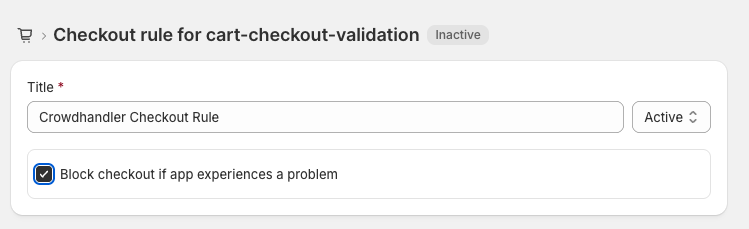
CrowdHandler Shopify App - Adding CrowdHandler to Checkout Rules
Modified on: Wed, 17 Jun, 2026 at 6:17 AM
