Validating JavaScript
Validate JavaScript is installed and working properly
Using Google Chrome.
Open Chrome and navigate to https://www.kotsovolos.gr/
Open the Developer Tools
On Windows Ctrl + Shift I
On Mac Cmd + Option + I
Or right-click an element on a page and select Inspect.
Important. Reload the page so that the Developer Tools can begin to record the network activity.
Validate that CrowdHandler JavaScript is loaded.
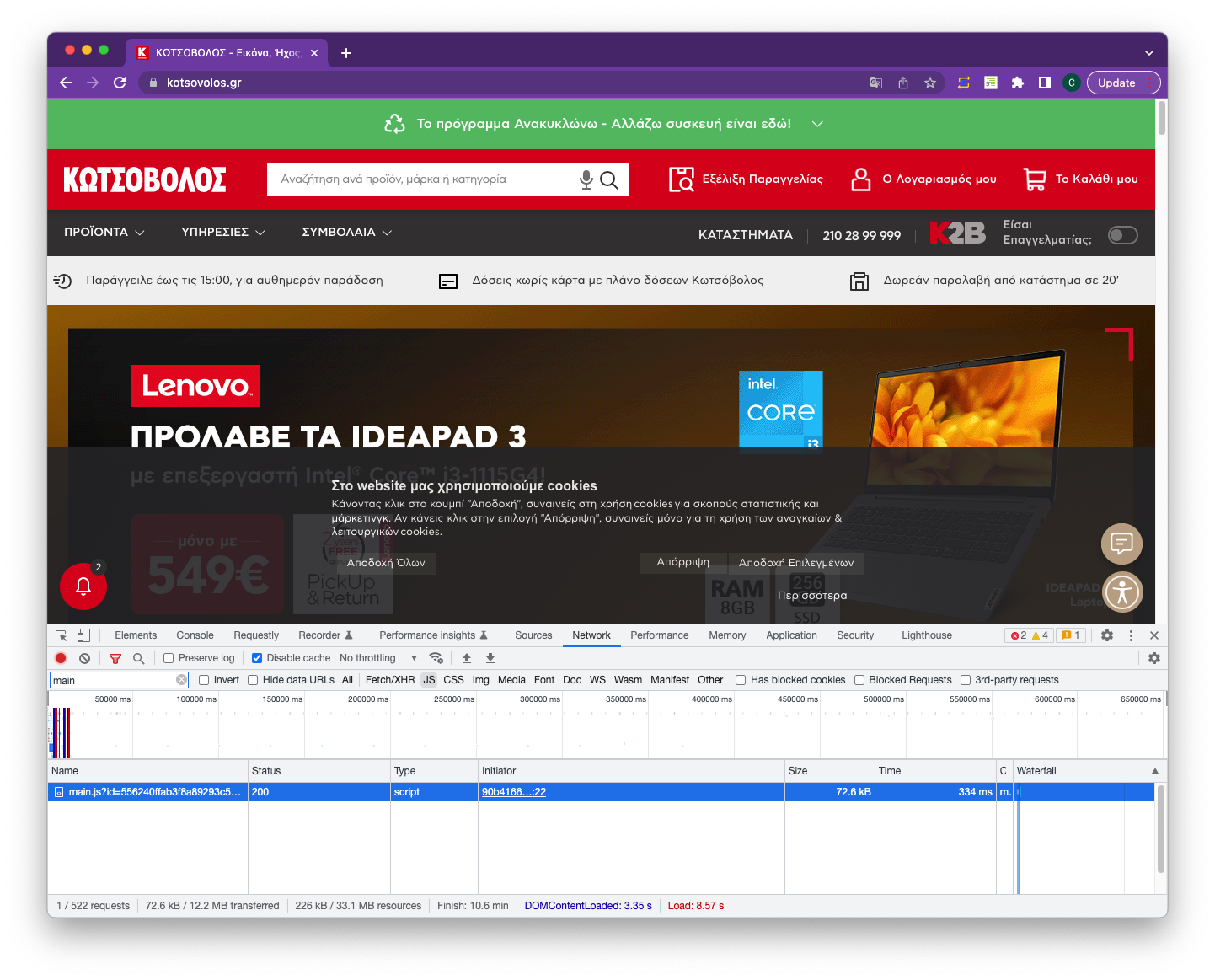
Click on the Network tab in the Developer Tools.
Select JS to only display the JavaScript files. You can also filter by ‘main’ to show the CrowdHandler JavaScript.
Clicking the file name will display further information.
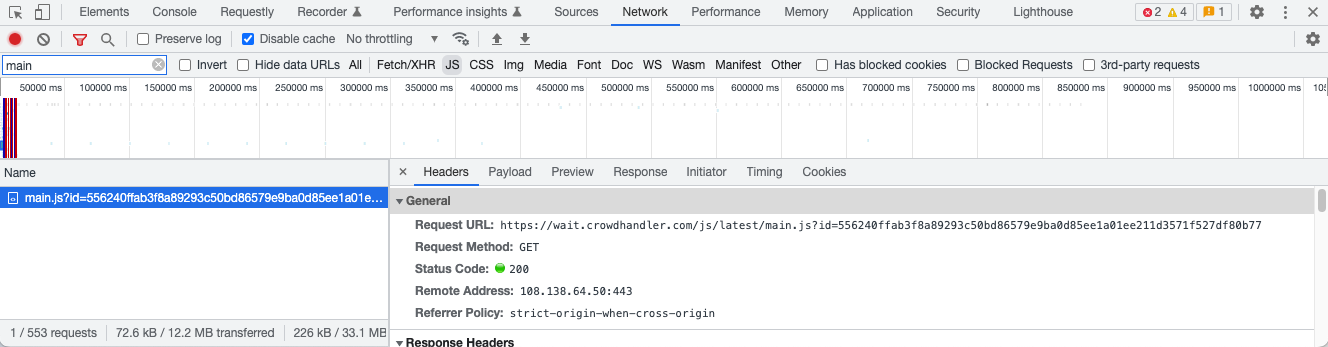
Click the headers tab to confirm that the Request URL is coming from https://wait.crowdhander.com
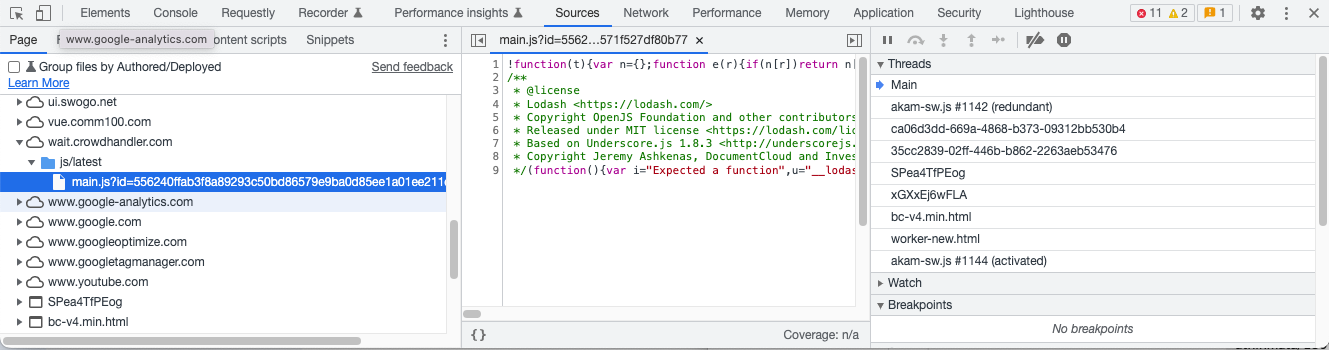
You can also click on the Sources tab to find the CrowdHandler main.js file.
Validating Network Request
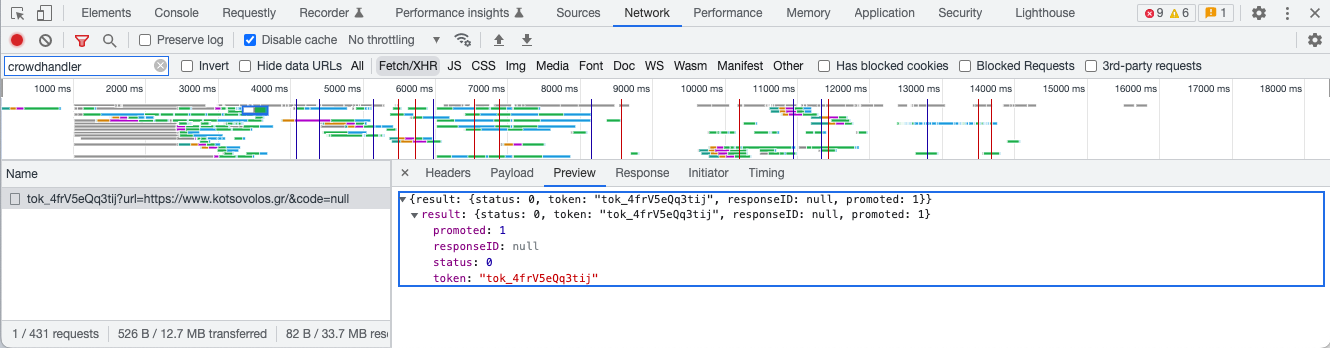
Click on the Network Tab and click Fetch/XHR
Filter by crowdhandler to find the XHR request to the CrowdHandler API.
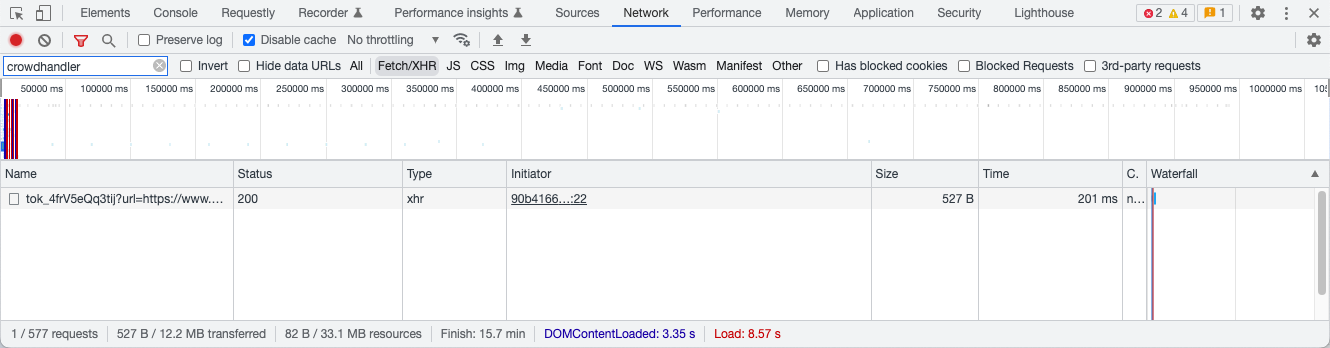
Clicking on the file name will give you further information.
Click on Preview and make a note of the 'token'. In this case tok_4frV5eQq3tij
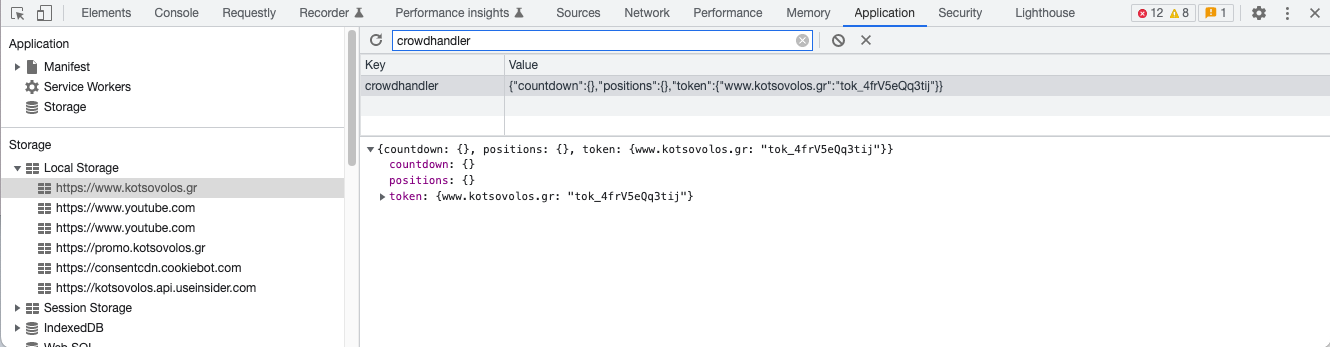
Confirm that the token is in Local Storage
Click on Application and open the Local Storage folder on the left if its not already open.
Click on the domain https://www.kotsovolos.gr
Filter by 'crowdhandler' and inspect the data that is saved in local storage.
The token should be the same as the token that was returned from the crowdhandler api in the previous step.
Navigate to another page.
Look again at the Network Fetch/XHR tab and Application Local Storage to confirm that token returned matches the token that is stored in Local Storage.
Visit a protected URL.
You will not see this output if room is not active, or if you are on an excluded URL
- With high rate we would not expect redirection. - Using the instructions above, inspect output of request call, check that the position is position lower than the rate. A response of {promoted:1} means you are allowed on site.
- With low rate we would expect expecting redirection.