Shopify - Installing Javascript Integration
Check out our Shopify Overview before you start.
-
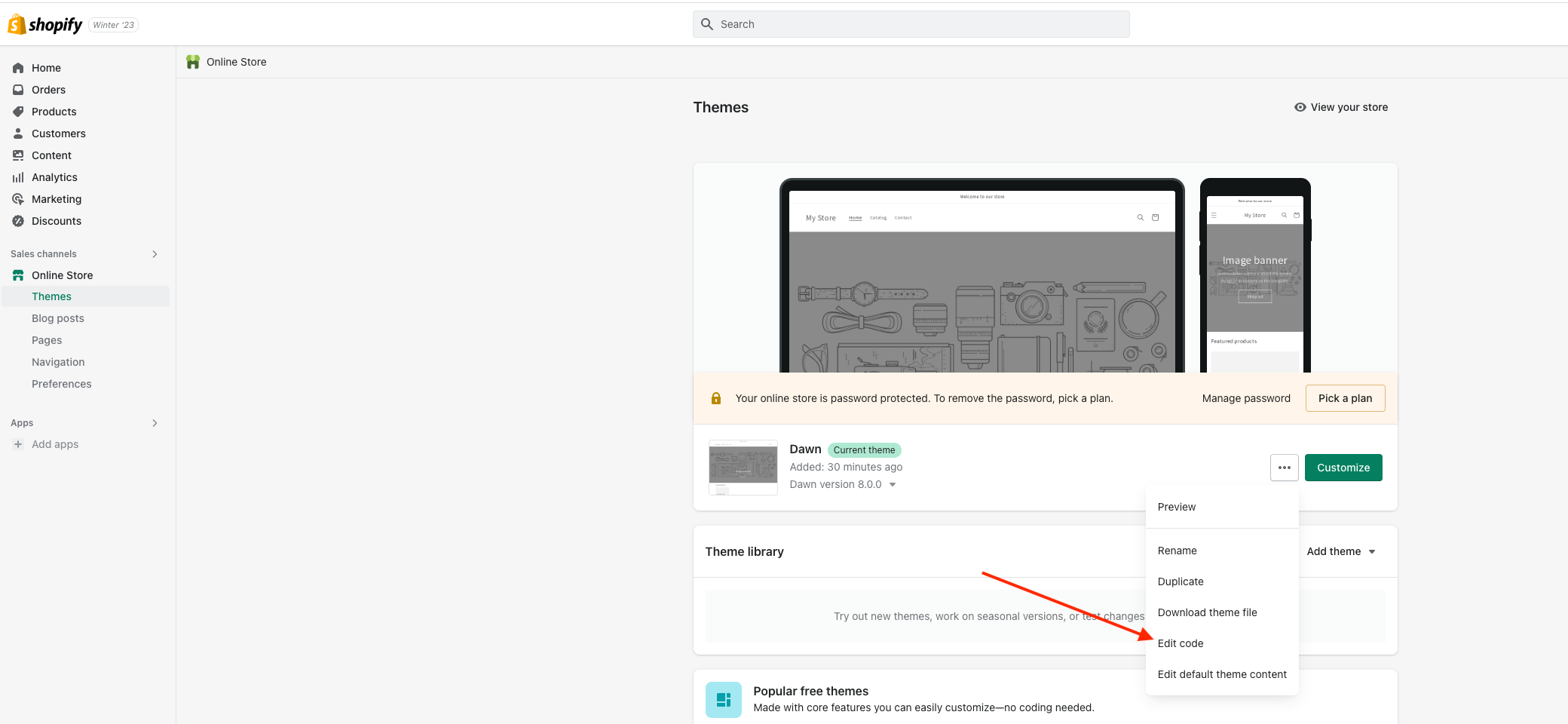
Go to Themes and expand the dropdown next to the customise button. Click edit code.
-
Expand the layout directory on the left hand side of the screen and open up your theme.liquid file.
-
Insert the CrowdHandler script tag into the head of the file, replacing YOUR_KEY_HERE with the public key found on the account/api screen in your CrowdHandler control panel.
<script src="https://wait.crowdhandler.com/js/lite-validator/main.js?id=YOUR_KEY_HERE"></script>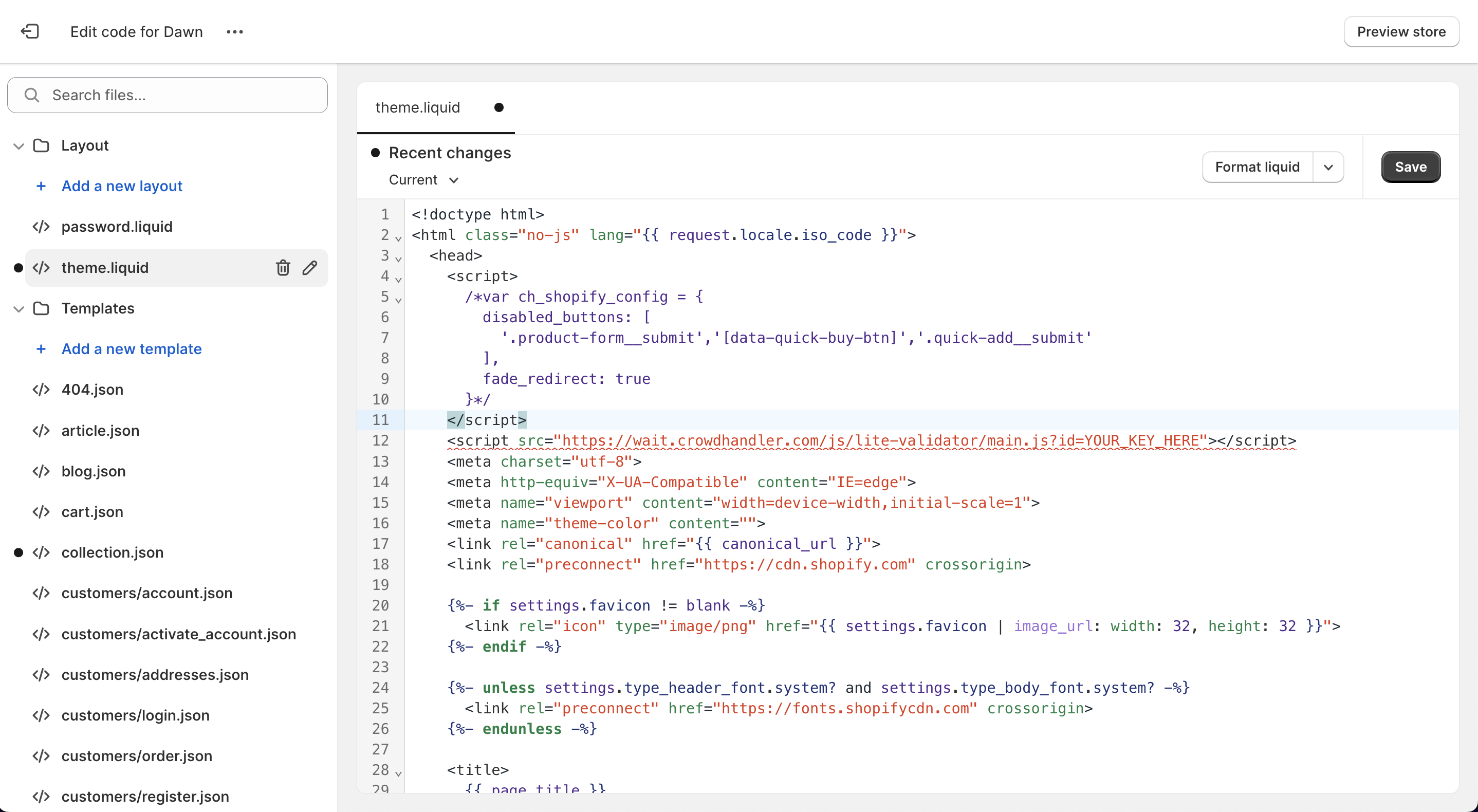
-
Go to our Getting Started guide to find instructions on how to configure and customise your waiting room from the CrowdHandler control panel.